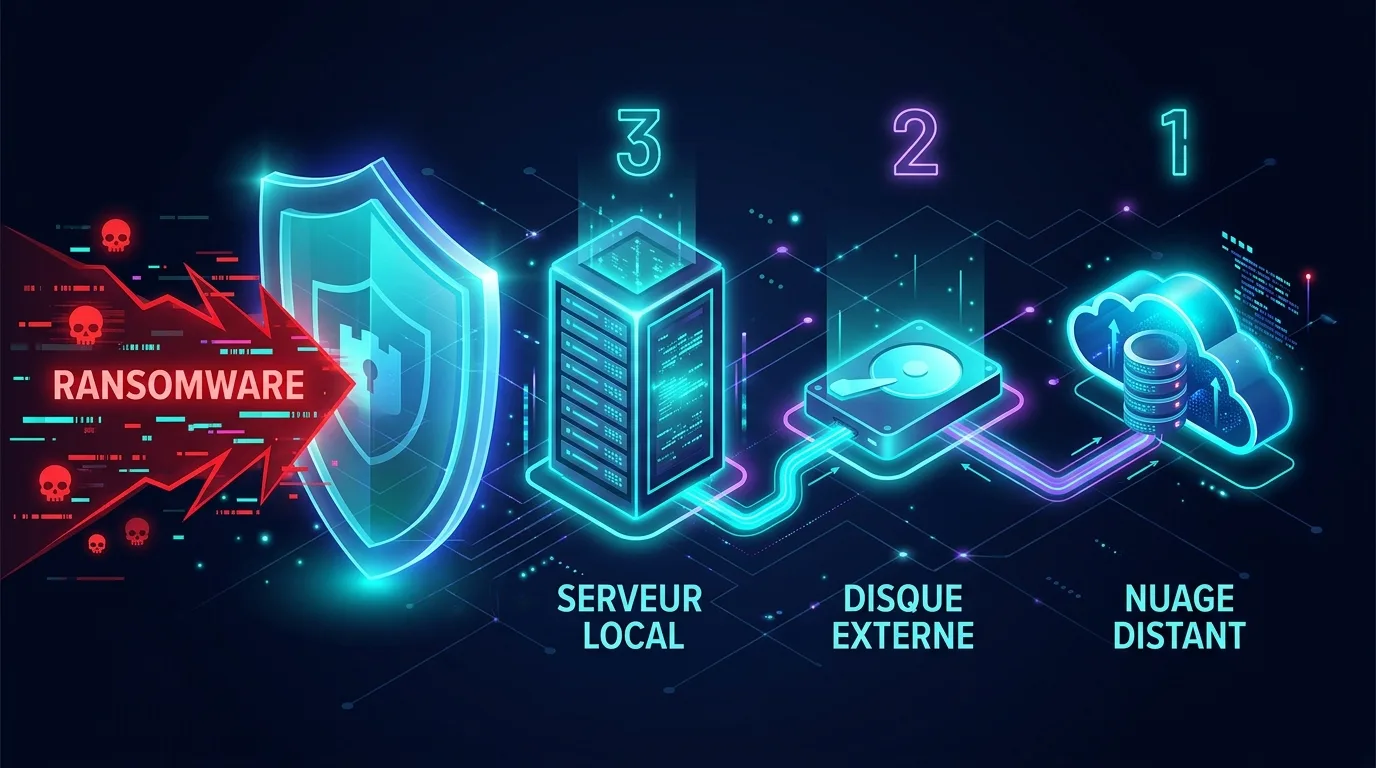
Ransomware no longer just encrypts your files: it first seeks to destroy your backups. This has become the attackers' first move once inside a network, as a company without usable backups pays the ransom. For a small business or SME, the difference between 'we restart on Monday' and 'we go into liquidation' often comes down to one thing: a serious, tested backup strategy kept well out of the attacker's reach. That is precisely what the 3-2-1 rule delivers.
The 3-2-1 rule explained
The 3-2-1 rule is a simple principle, promoted for years by cybersecurity agencies (including ANSSI and CISA), based on three numbers:
- 3 copies of your data: the production original + two backups.
- 2 different media: for instance a local NAS and cloud storage. If one media type fails (disk failure, firmware bug), the other survives.
- 1 off-site copy: physically elsewhere (cloud, data centre, or even an encrypted drive stored in separate premises). A fire, water damage, or a burglary must not wipe out all copies at once.
Why does it work? Because each number covers a different type of incident: human error (accidental deletion), hardware failure, and major site disaster. But against modern ransomware, the classic version is no longer enough.
3-2-1-1-0: the anti-ransomware version
Backup solution vendors and recent security frameworks recommend extending the rule to 3-2-1-1-0:
- +1 offline or immutable copy: a backup that no one, not even a compromised administrator, can modify or delete during its retention period.
- 0 restore errors: backups are verified and tested. A backup that has never been restored is an assumption, not protection.
These two additions directly address the attackers' methods, and we will break them down now.
Why ransomware targets your backups first
A ransomware operator typically spends several days in the network before triggering encryption. During this phase, they conduct reconnaissance with one specific goal: to neutralise your ability to restore systems. Specifically, they will:
- Delete Windows shadow copies on workstations and servers with a single command.
- Locate the backup server (Veeam, Synology NAS, network share '\\NAS\backups'...) and encrypt it or delete backup jobs.
- Reuse stolen administrative credentials to log in to the backup console or cloud account, and purge remote backups.
- Wait, at times, for clean backups to age out of the retention window before striking.
The conclusion is harsh but simple: a backup with write access from your production network is a backup an attacker can destroy. A NAS permanently mounted as a network drive on workstations is just another disk to encrypt.
Immutable and offline backups: your last line of defence
Two approaches allow you to keep a copy out of reach:
The air gap (offline)
A physically disconnected copy: an encrypted USB drive unplugged after the backup, an LTO tape ejected from the drive, or rotating two drives with one always kept offsite. It is low-tech, inexpensive, and remarkably effective, provided there is genuine discipline (a permanently connected drive is no longer an air gap).
Immutability (WORM)
Write Once Read Many storage locks each backup for a defined period: it cannot be modified or deleted, even with administrator privileges. It is now accessible to SMEs: S3 object lock from cloud providers (including European ones like OVHcloud or Scaleway), immutable snapshots on recent NAS devices, and hardened repositories in backup solutions. Associated best practices: a dedicated storage account with MFA, credentials separate from Active Directory, and immutable retention of at least 14 to 30 days to cover a lingering intrusion.
Test this scenario: 'an attacker has the domain administrator password and the NAS password. Can they destroy all my backups?' If the answer is yes, your 3-2-1 strategy has a hole in it. You need at least one immutable or disconnected copy, with credentials completely separated from your network.
Testing restoration: RTO and RPO
Backing up is only half the job. What matters on the day is being able to restore, and to frame this we use two metrics:
- RPO (Recovery Point Objective): the maximum amount of data you are willing to lose. An RPO of 24 h = in the worst case, you lose a day's work. It determines your backup frequency.
- RTO (Recovery Time Objective): the maximum acceptable time to get the service back up and running. An RTO of 4 h for invoicing requires very different resources from an RTO of 5 days for archives.
These objectives are defined business line by business line with management, not in isolation by IT staff. They are then verified through regular testing: restoring a random file each month, a full restore of a server or VM each quarter, and at least once a year a 'ransomware' drill: everything is encrypted on Friday at 18:00, and you time how long it takes to restore service. That is when unpleasant surprises come to light: corrupted backups, lost encryption passwords, or cloud bandwidth that turns a 2 TB restore into a three-day wait.
GDPR and NIS2: what regulations require of an SME
Backups are not just technical best practice; they are also a legal obligation as soon as you process personal data, which applies to almost every business.
Under GDPR, Article 32 requires 'appropriate technical and organisational measures', and explicitly highlights 'the ability to restore the availability and access to personal data in a timely manner in the event of a physical or technical incident'. A ransomware attack that makes your customer data unavailable constitutes a data breach: notification to the CNIL within 72 h, and the lack of a usable backup can be deemed a breach of Article 32. Consistency is also key: backup retention periods must remain compatible with your data retention policy, and backups must be encrypted.
Under NIS2 (transposed in France), the scope expands to many SMEs in essential and important sectors (from 50 employees or €10m turnover in the sectors concerned, with exceptions). Article 21 explicitly mandates business continuity, backup management and disaster recovery. Even if your SME is not directly subject to it, your corporate clients who are will pass these requirements down in their contracts: the supply chain is part of the scope. Anticipating this is also a strong commercial asset.
Action plan with a realistic budget
No need for a corporate-sized budget. Here are three consistent tiers based on the size of your organisation:
| Profile | Typical strategy | Target RPO / RTO | Indicative budget |
|---|---|---|---|
| Micro-business (1-9 people) | Automated encrypted cloud backup + 2 rotating encrypted USB drives (1 offsite, unplugged) | RPO 24 h / RTO 1-3 days | 20-60 €/month + ~200 € in hardware |
| Small SME (10-49 people) | Local NAS with snapshots + immutable cloud copy (object lock), dedicated accounts with MFA, monthly restoration test | RPO 4-24 h / RTO < 24 h | 100-300 €/month + 1 500-3 000 € in hardware |
| Medium SME (50-250 people) | Centralised backup solution (VMs + workstations), immutable repository, offsite replication, documented DRP, annual drill | RPO 1-4 h / RTO 4-12 h | 500-1 500 €/month (or managed service) |
In practical terms, where should you start? In this order:
- Take inventory of what needs to be backed up: servers, key workstations, but also SaaS (Microsoft 365 and Google Workspace are not backups: the recycle bin has a time limit).
- Define RPO and RTO with leadership, for each critical activity.
- Implement 3-2-1, then add the immutable or offline copy.
- Isolate access: backup credentials separated from AD, MFA, backup console unexposed.
- Test restoration and record the results: this is your proof of GDPR/NIS2 compliance as well as your operational guarantee.
- Document the recovery plan on paper as well: if everything is encrypted, the 'restoration procedure' PDF stored on the server will be useless.
In summary
The 3-2-1 rule (extended to 3-2-1-1-0) remains an SME's most cost-effective defence against ransomware: three copies, two media types, one offsite, one immutable or offline, zero restoration errors. Attackers target your backups before your data: keep at least one out of their reach, test your restores against agreed RTO/RPO targets, and you will turn a potential disaster into a bad weekend. In very practical terms, this is also what GDPR already requires and what NIS2 is rolling out more widely.